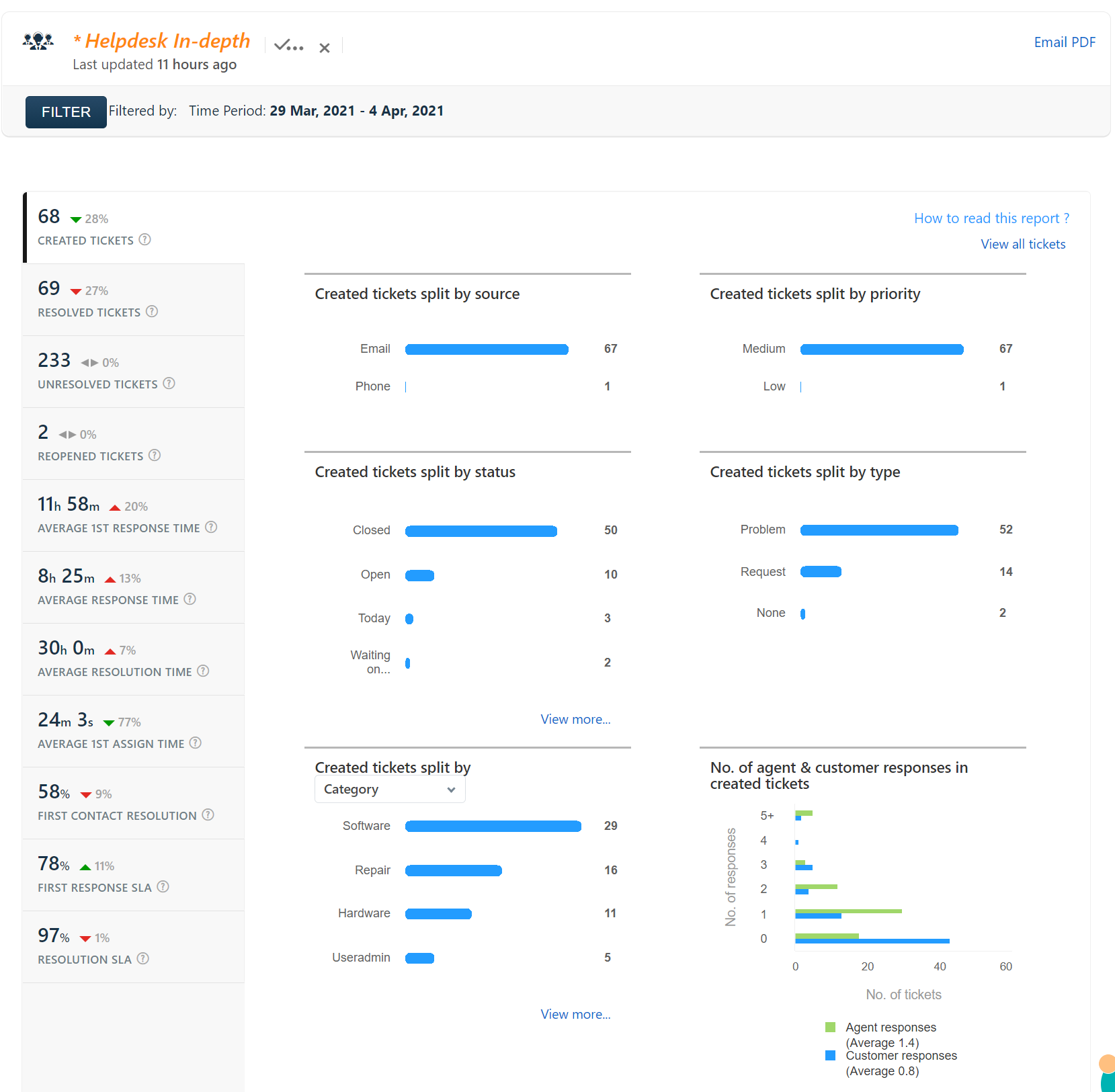
Help Desk Report 29 Mar 2021 – 4 Apr 2021
Google has released updates for Google Classroom. The updates include “question-driven discussions including debates and question-and-answer sessions. Teachers can now post a question, video, article or other content in Classroom, and ask students to answer the question or write a response. Teachers also have the option of allowing students to comment on each other’s responses.”…
The Internet Firewall/Web Filtering/SPAM Filtering machine has been moved to a faster machine to increase reliability. Since the move (three weeks ago) there has only been approximately 10 minutes total of downtime. I’ve written some software to keep track of downtime of the various servers in the district and Internet connectivity. You can see the…
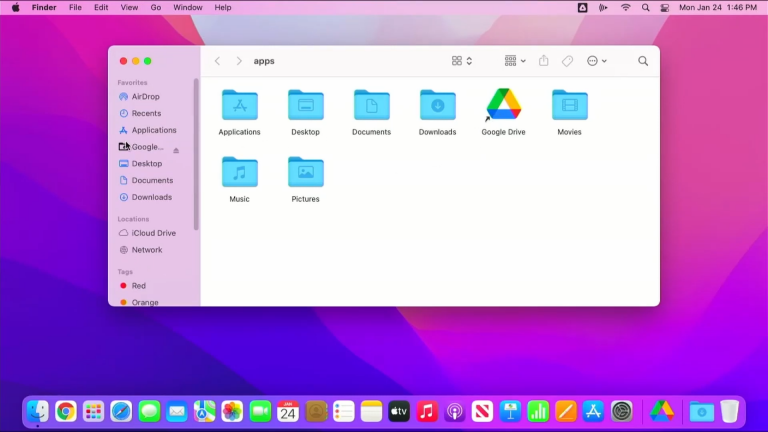
Signing in to Google Drive and accessing your files Any files that you work with on your Mac will need to be stored in your Google Drive. Files that are not stored in Google Drive are in danger of being lost if something happens to your computer. Once you sign in to Google Drive, your…
All Class Google Groups should be updated now, and old groups deleted. If you want to check your groups, you can go to http://groups.kentoncityschools.org and click on My Groups. If any of your class groups do not have you listed as an owner, let me know.