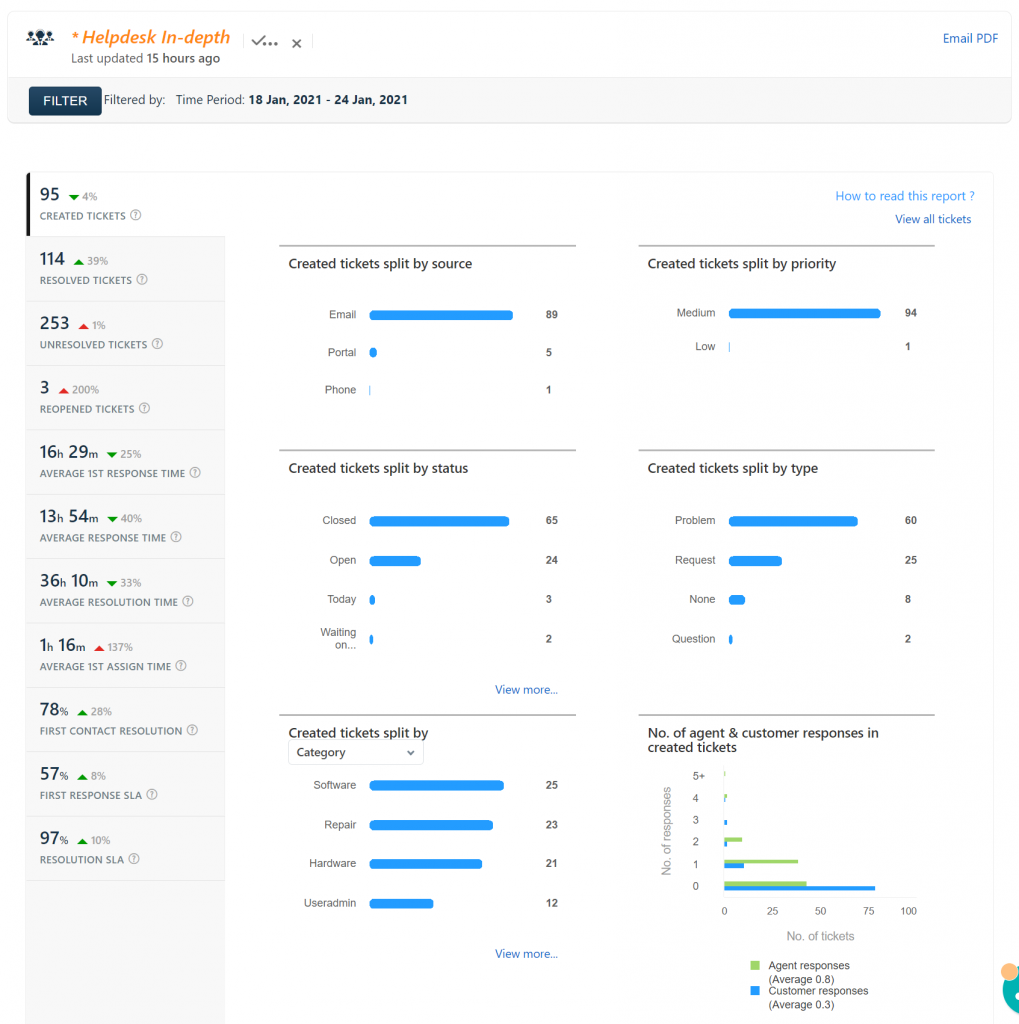
Helpdesk report for January 18, 2021 – January 24, 2021

The old email addresses you may be using for the help desk no longer work. The correct email address for the help desk is [email protected] can use it from any device, although we prefer it when the email comes from your school account so we can identify who you are. 🙂
I’ve started to collect the status pages for the various services used at Kenton City Schools. You can see all of the status pages, including Kenton City Schools’ technology status at the following address: https://go.kcs.me/status The page is also available on the technology department’s website at https://tech.kentoncityschools.org. This is another tool for you to use…
The directions for Chromebook repairs for KHS and KMS are now available. Please let me know if there are any issues or concerns.
I’ve created sub accounts for the teachers at Kenton City Schools. There are two accounts, one for computer access and one for Google access. This means teachers can share materials with their sub account in Google Drive, and the substitute teacher will be able to access them. The sub accounts also have access to GMail,…
Scholastic Enterprise (Reading Counts and Reading Inventory) is now ready for the 2015-2016 school year. Students have been promoted and put into your classes. After I imported the students for the year, I noticed that there are several students that were held back and are now in the wrong grad year. I will be going…
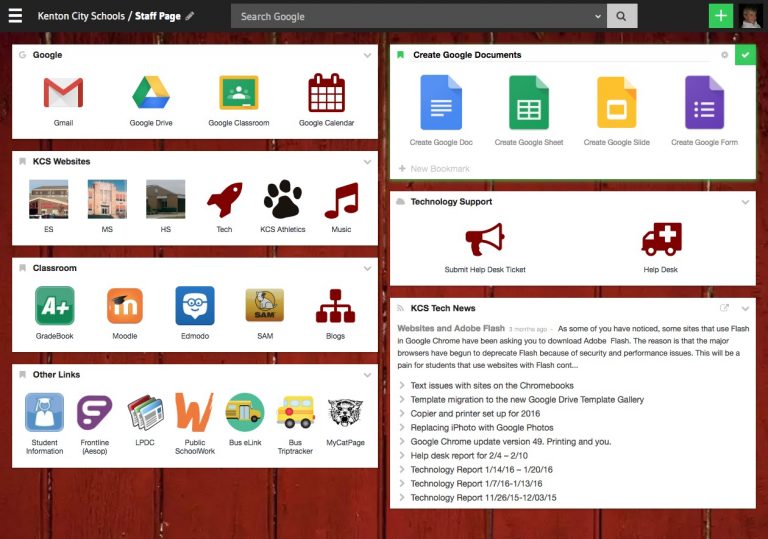
The KCS MyCatPage will be getting an upgrade over the summer. The look is cleaner, and the links to various resources are better organized. Check it out here and let me know what you like and what you don’t like!