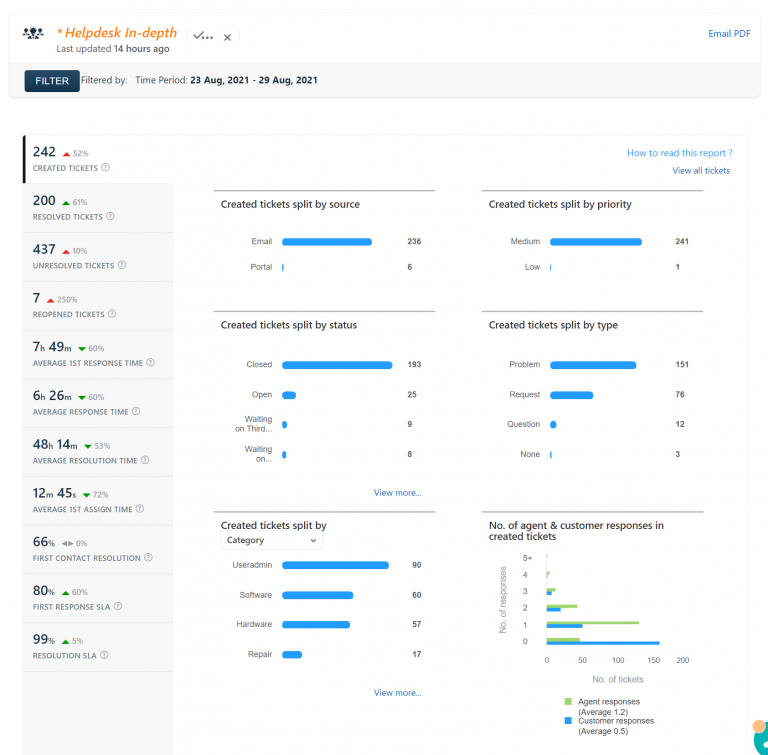
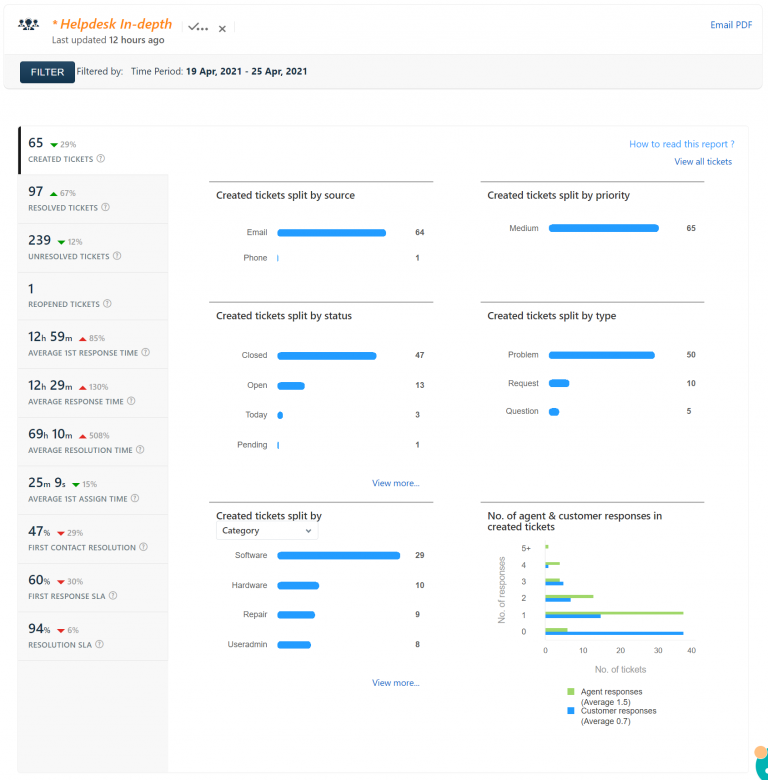
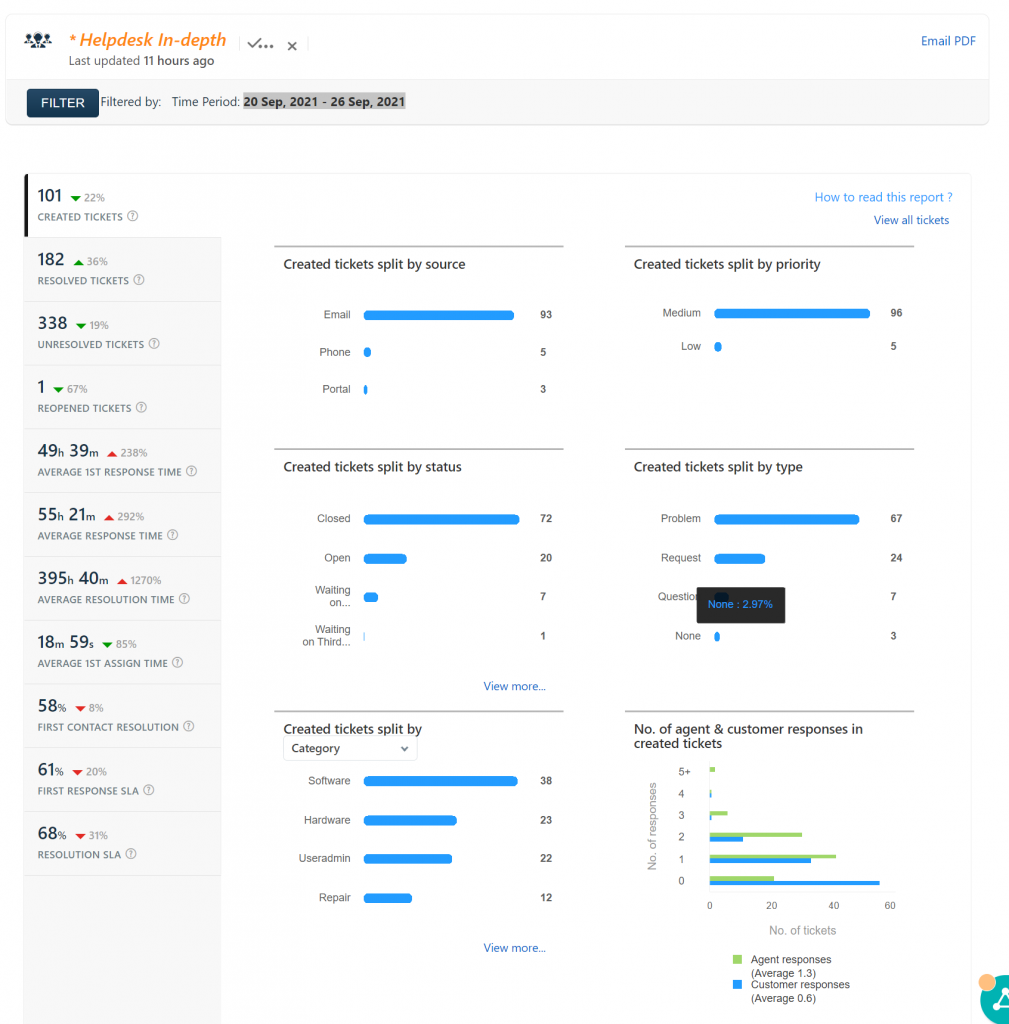
Helpdesk report for 20 Sep, 2021 – 26 Sep, 2021

Each staff member at Kenton City Schools will have a Google Group created for each of their classes. To see your groups and check who is in the group, you can visit Google Groups. The class Google Groups have a description that start with Class Google Groups – and then your StudentInformation teacher code followed by a…

Be sure to update any bookmarks you have for SAM, SRI, SRC, and SMI to the following. For students, the new link is http://sam.es.thekcs.net:55888/slms/studentaccess. For staff, the new link is http://sam.es.thekcs.net:55888/slms/educatoraccess.
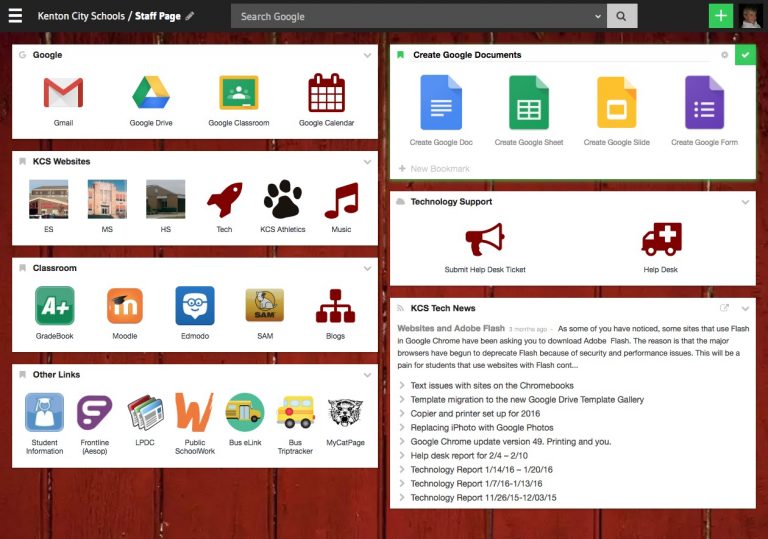
The KCS MyCatPage will be getting an upgrade over the summer. The look is cleaner, and the links to various resources are better organized. Check it out here and let me know what you like and what you don’t like!
The first issue of what I will be offering as a monthly newsletter on educational technology issues is now available. Staff members will receive a paper copy in their mailbox, and everyone can download a copy here. If you are interested in writing an article or are doing engaging and innovative work in your classroom…