Help Desk Report 19 Apr 2021 – 25 Apr 2021

There are three big changes coming up for teachers of KCS. Once the new technology is in place, we’ll be scheduling PD classes on moving forward! I don’t have a timeline for the changes, it is dependent on when Apple will release the new computer models and how quickly they can be shipped. Hardware Desktop…
With the recent updates to the Mac systems, there has risen some compatibility issues with different versions of iPhoto and Photos (the replacement of iPhoto). This, coupled with the growing size of pictures is a good reason to switch to Google Photos. Google Photos gives you unlimited space online to store and manage your photos….
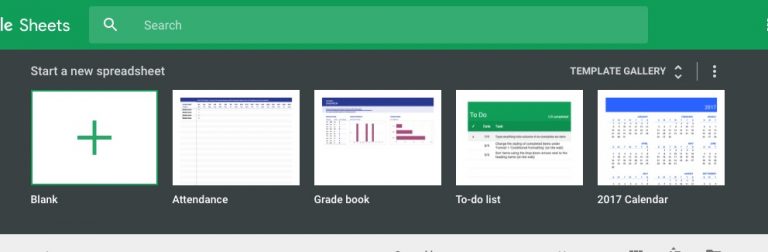
On February 15, 2017, Google will be transitioning to the new template gallery. If you are using any templates with Google Docs, Sheets, or Slides, you will need to submit them to the new gallery for students to use. The process is, to say the least, convoluted. Find your templates to transfer Visit https://drive.google.com/a/kentoncityschools.org/templates to see…

The new Cricut software can be installed on your Macbook without the administrator password. Download the application from Cricut and it will show a window to drag the Cricut application to Applications. This will not work. To install the application it needs to be put in your Applications folder, not the machine’s. Using the Go menu at…
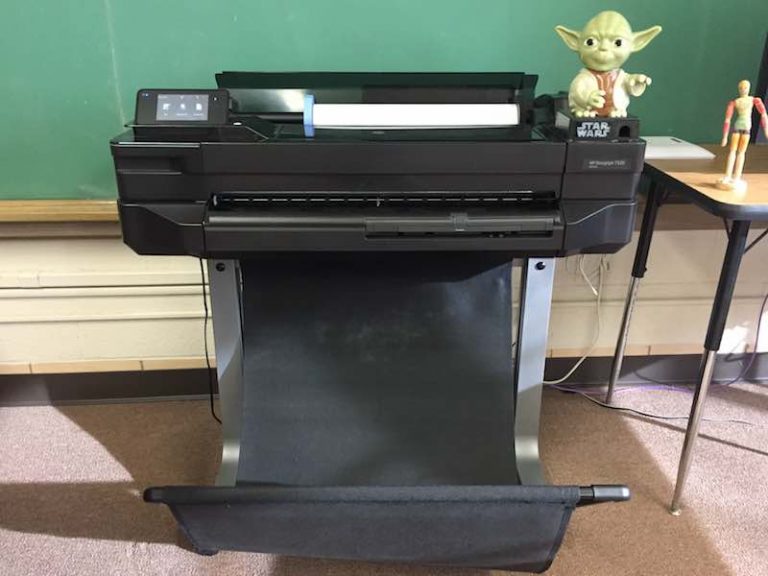
Guarded by the sacred Yoda statue is the HP Design Jet T520 24in wide format printer. With it, we can print documents up to 24″ wide by 36″ long. To have a document turned into a poster send an email to [email protected] and attach the document you would like to be printed (PDF”s preferred), number of copies,…
Edit: Updated graphics as of December 2020. Previously, Google had given school districts and other organizations the ability to filter search results and Youtube. Unfortunately, there are some organizations that were using this ability to spy on the users for marketing purposes, so Google is now forcing all searches and Youtube to go over SSL,…