Technology report 11/12/15 – 11/18/15
Helpdesk Report

Application Updates Firefox Chrome Adobe Flash Java Helpdesk Report

Setting up Chrome on the laptop and desktop There are a few steps that you’ll want to complete to get going with Google Chrome: Putting the icon on your dock, signing in to sync, and setting Google Chrome as your default browser. Once you’ve completed those steps, Chrome will sync your bookmarks and passwords. These…
In March and April a student technology survey was sent home to completed by the students and parents to help the district gauge where we are with home technology. Six hundred and fifty responses were received, allowing a confidence interval of 3.1 at a 95% confidence level (survey results are +-3.1%). Preliminary results: Homes with…
Upcoming WILD Wednesday classes: January 25th – Using blogs in your classroom February 1st – SPAM e-mail filtering February 8th – Enhancing your computer experience (shortcuts and tips to make your technology experience more efficient. February 22nd – Starting with AppleWorks

You may have noticed some additional restrictions on your smartphone regarding using your school Google account on your phone. A side effect of setting up Android apps on Chromebooks was the implementation of restrictions before you can use your school Google account on the phone. iPhone users The Google apps (Gmail, Google Calendar, Drive, etc.)…
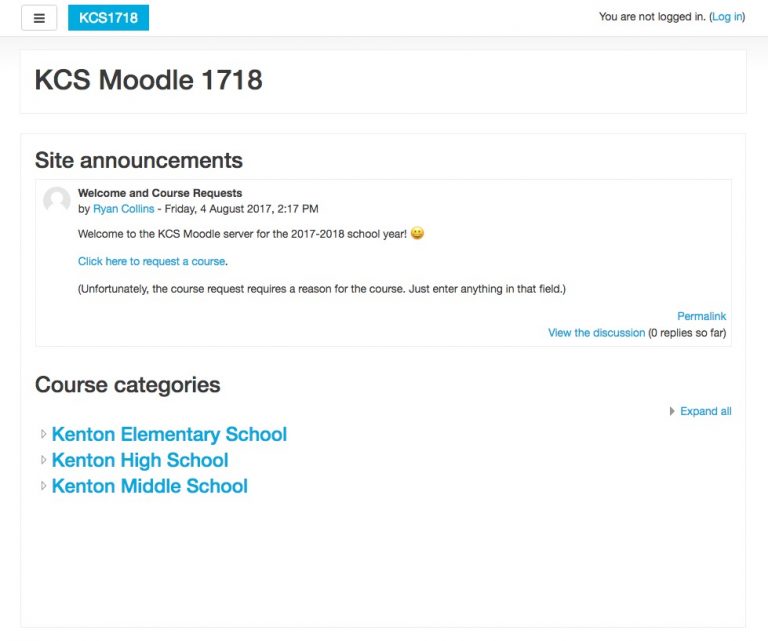
The Moodle server for the 2017-2018 school year is now installed. To request a course, click on the Click here to request a course link from the main Moodle page available at moodle.kentoncityschools.org. Log in with your school username and password, and then complete the form to request the course. It will ask why the course is needed,…