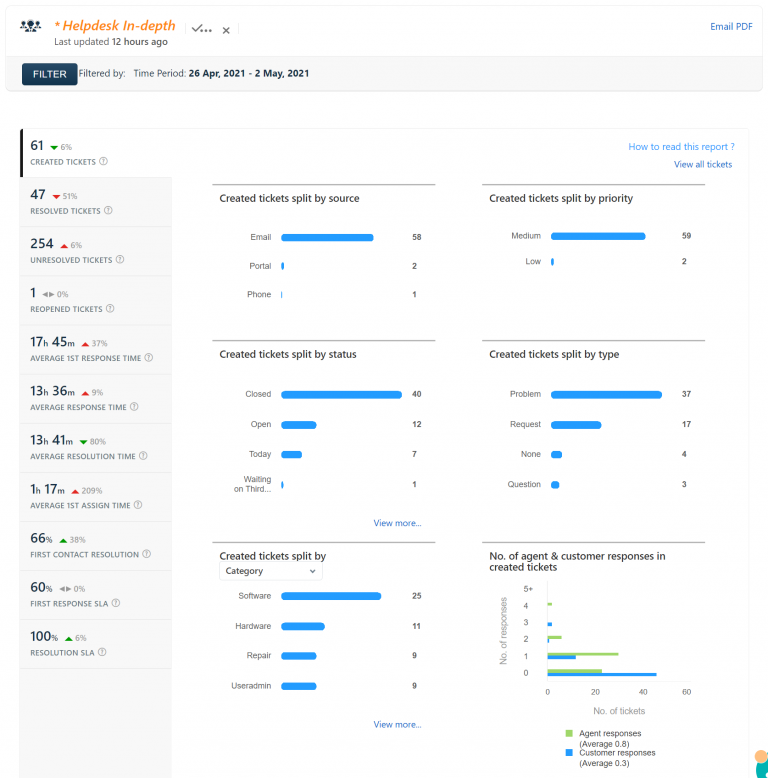
Help desk report 10/8/15 – 10/14/15


I thought I would send out a quick refresher on the names of the most used software packages through WOCO. Since it is the start of the new year, it’s as good as time as any to reference the services by their correct names. DASL – Previously called DSL, no product has been called DASL for…
Thank you for taking the time out of your busy day to complete the survey for me. I will be using these results along with a student survey to examine what is going well and help address issues in technology usage. In today’s world, a technically literate society is now a requirement. The personal computer…
I’ve update Chrome to version 44.0.2403.155 and Adobe Flash to version 18.0.0.232 in Managed Software Update for the Mac computers: The computer will automatically update if it is at the log in screen, but if you are using the computer you will have to press Update now to install the updates. To manually start the update, under the Go…
The Internet Firewall/Web Filtering/SPAM Filtering machine has been moved to a faster machine to increase reliability. Since the move (three weeks ago) there has only been approximately 10 minutes total of downtime. I’ve written some software to keep track of downtime of the various servers in the district and Internet connectivity. You can see the…
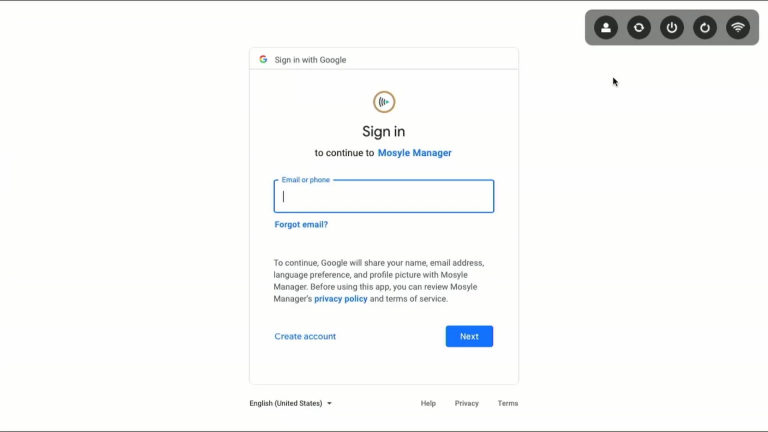
Laptop and Desktop computers now use Google for logging in The new Macs will use your Kenton City Schools Google account for sign in. After the machine is turned on, you will be greeted with the Google log in screen. Use your complete email address and school password to sign in. Troubleshooting: The log in…