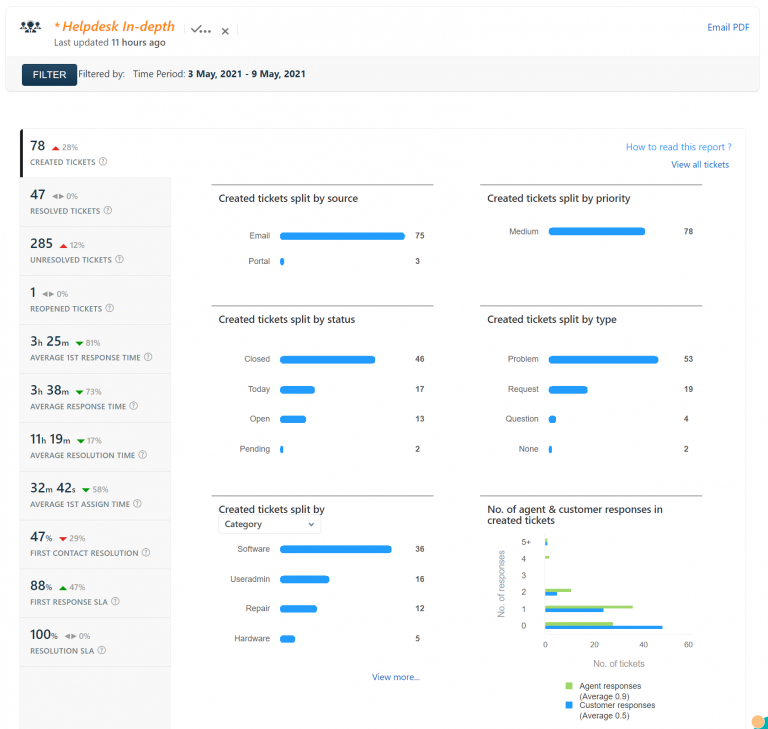
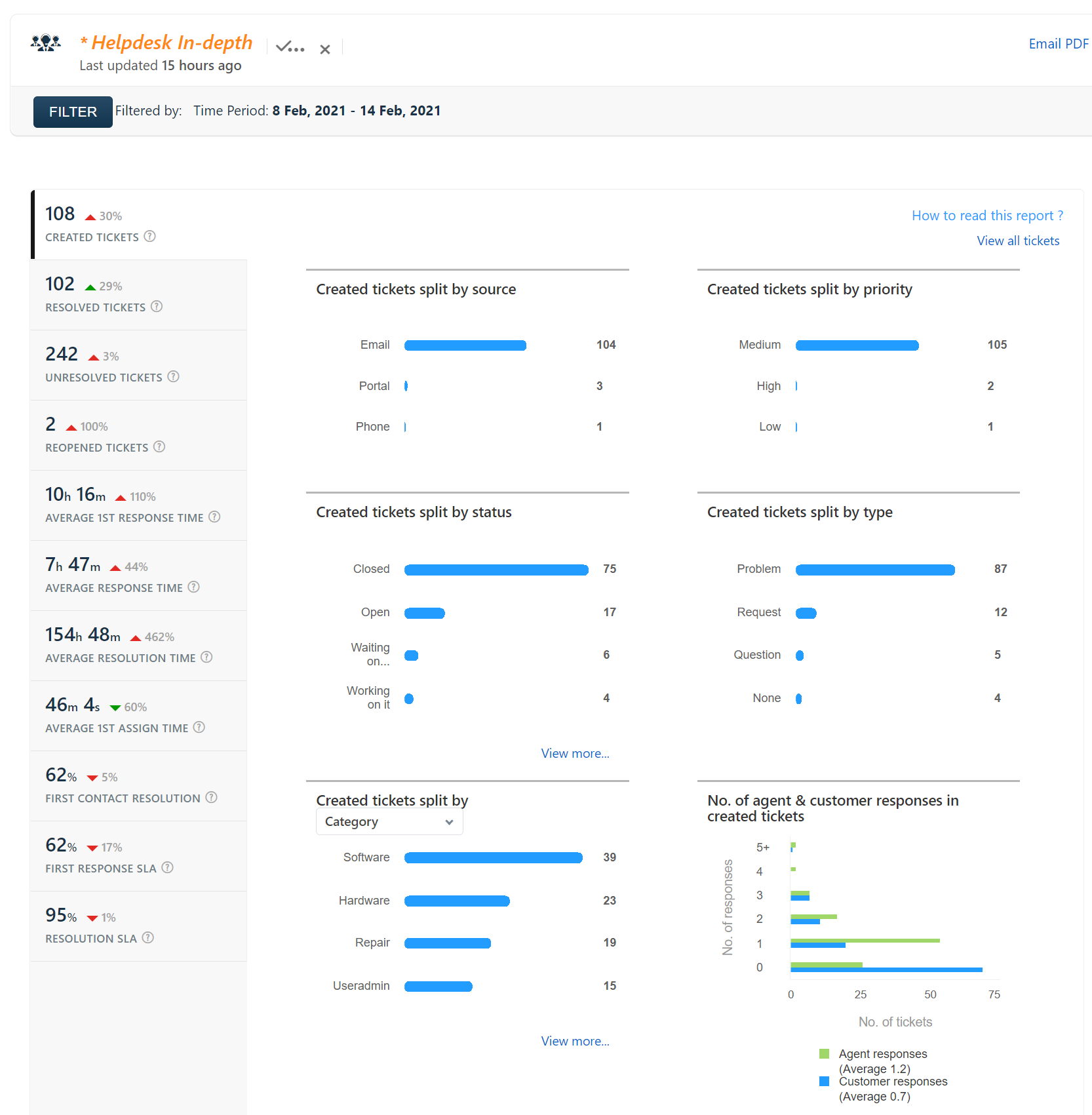
Helpdesk Report for 8 Feb, 2021 – 14 Feb, 2021
Edit: Updated graphics as of December 2020. Previously, Google had given school districts and other organizations the ability to filter search results and Youtube. Unfortunately, there are some organizations that were using this ability to spy on the users for marketing purposes, so Google is now forcing all searches and Youtube to go over SSL,…
I’ve started to collect the status pages for the various services used at Kenton City Schools. You can see all of the status pages, including Kenton City Schools’ technology status at the following address: https://go.kcs.me/status The page is also available on the technology department’s website at https://tech.kentoncityschools.org. This is another tool for you to use…
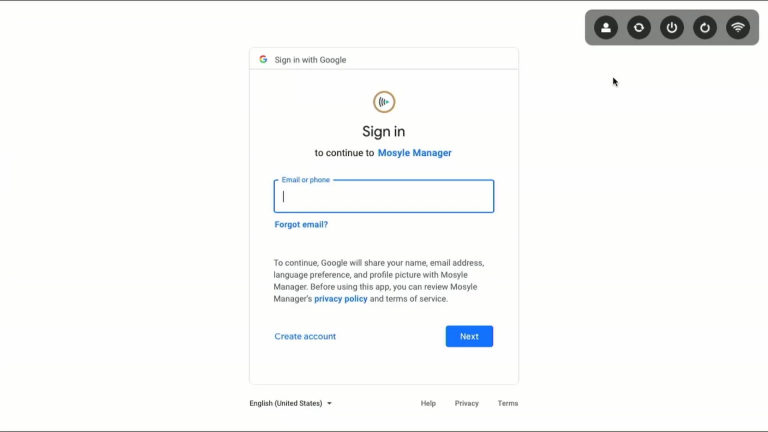
Laptop and Desktop computers now use Google for logging in The new Macs will use your Kenton City Schools Google account for sign in. After the machine is turned on, you will be greeted with the Google log in screen. Use your complete email address and school password to sign in. Troubleshooting: The log in…
We have following classes coming up for WILD Wednesday: Using Blogs in your classroom – Nov. 9th This class will show you how to setup a blog for your classroom and allow your students to publish their work or comment on other published work. What you are looking at right now is a blog. A…